This site uses cookies to provide and improve your shopping experience. By continuing to use this site, you agree to accept these cookies. For more information, please see our Cookies PageCookies Page.
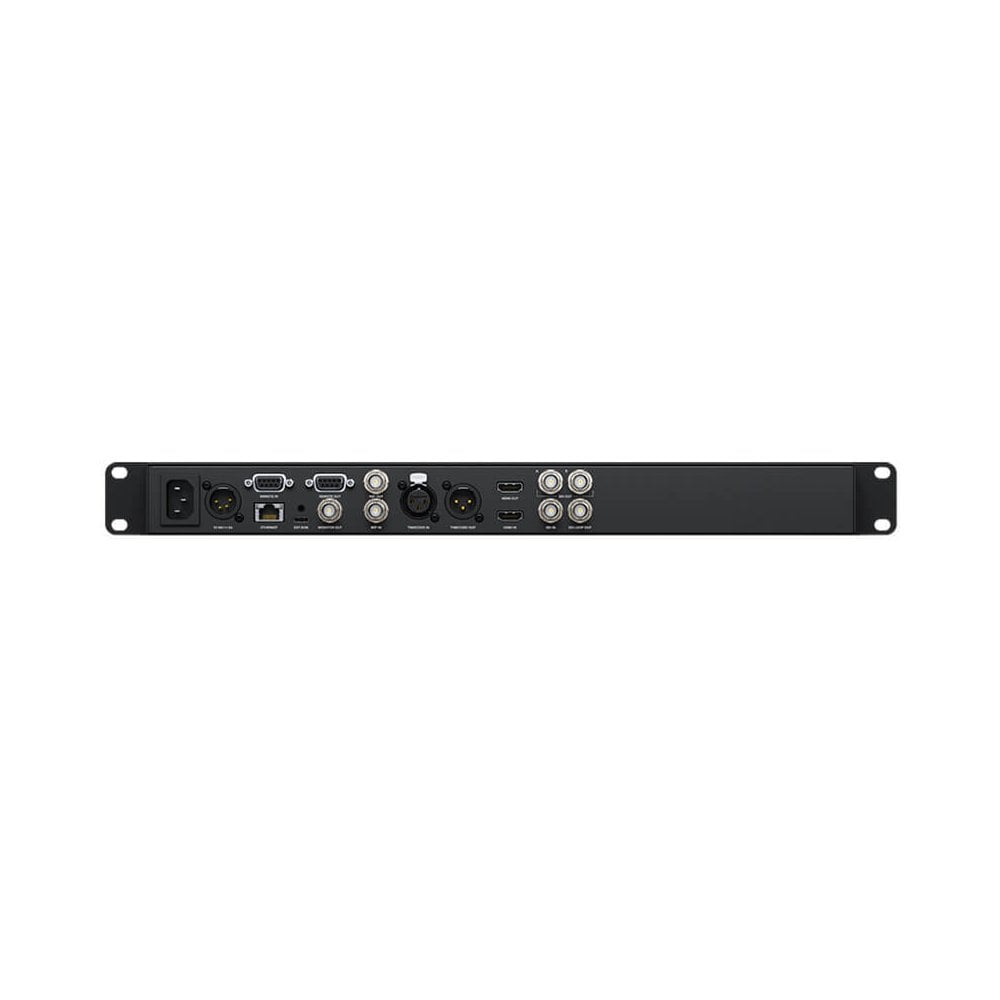
BLACKMAGIC HyperDeck Studio HD Pro, BMD-HYPERD/ST/DFHP (BMD HYPERD/ST/DFHP, BMD_HYPERD/ST/DFHP, BMD/HYPERD/ST/DFHP, HYPERD/ST/DFHP)
Full rack width broadcast deck with 2 SSD slots and 2 SD card slots
For compatibility with a wide range of computer software, HyperDeck Studio features webcam support using the USB connection. If you're not recording to an external USB disk, you can plug the HyperDeck USB connection directly into a computer to get live video into any video software. The computer is tricked into thinking the HyperDeck is a common webcam, but it's really a broadcast quality video source. That guarantees full compatibility with any video software and in full resolution 1080 HD quality. HyperDeck Studio's USB webcam feature works with any video software including Zoom, Microsoft Teams and Skype, or get live streaming with Open Broadcaster, XSplit Broadcaster and more.
Advanced HDR Support And Monitoring 3D LUTs
You'll be ready for the latest feature film workflows with support for advanced HDR standards. All HDR status information is embedded into the SDI connections so downstream equipment can detect when HDR files are played. When recording, the SDI and HDMI inputs will also automatically detect HDR video standards and then tag the files with the correct HDR information. Static metadata PQ and HLG formats are handled according to the ST2084 standard. Plus the front panel LCD has a wider colour gamut for both Rec. 2020 and Rec. 709 colourspaces. HyperDeck Studio Plus and Pro models even allow you to load a 3D LUT into the monitoring output to add looks or to convert film to video gamma.
Includes Professional Multi Channel SDI Audio
HyperDeck Studio includes professional multi channel SDI audio for recording up to 16 channels. When recording from the SDI input, you can select in the menu to record 2, 4, 8 or 16 channels of audio in real time. There's extra space on the SDI monitoring status overlay, which allows the audio meter display to show the number of channels you have enabled all at the same time, and the audio meters will show 2, 4, 8 or 16 channels simultaneously. The audio meters are designed to use the correct ballistics, and you can change between different VU and PPM meter displays in the LCD menu. HyperDeck Studio is more than just a video recorder, as it also has fantastic sound.
Incredible Fast Network File Transfers
All HyperDeck models allow media files to be uploaded remotely, using simple FTP client software. With 10G Ethernet built into the HyperDeck Studio 4K Pro model, file transfers are so fast, they are faster than the SD card or SSD media disks. For remote deck control, all models use an easy to learn text based protocol, so you can use a simple terminal app like Telnet to test control commands. Simply log into the HyperDeck and then type "play" or "record" and it will execute the command. It's that simple. If you combine the control protocol and file transfers with a HyperDeck connected to a large USB-C disk array, you get a fantastic broadcast server for ingest, media management and play out.
Traditional RS-422 Broadcast Deck Control
The most popular control connection used on broadcast decks since the early 1980s is the RS-422 protocol. Originally developed by Sony, RS-422 is used on almost all broadcast gear. HyperDeck Studio features wide protocol support so you can connect it direct to broadcast systems. It also supports extra commands for the Advanced Media Protocol for managing disk recorders. When designing RS-422 control solutions, you'll know you’re connected to a HyperDeck Studio when you see the ID 0xF0E0 in 30/60p, 0xF1E0 in 25/50p or 0xF2E0 in 24p. The full set of support remote commands are included in the instruction manual and you can download this from the support page of our web site.
Built in Timecode And Sync Generators
With a timecode and sync generator built into all models, you can stack multiple units for digital signage or multi channel recording. Each HyperDeck has dedicated outputs for reference and timecode, direct from the internal sync and timecode generators. The generators "free run" unless reference or timecode is connected to the inputs, and then generators will automatically lock. This means you can loop from HyperDeck to HyperDeck to create perfectly timed array or recorders.
Inclued the Power Of BlackMagic OS
The innovative Blackmagic OS has been designed for high performance film and broadcast products and it manages all functions on HyperDeck Studio. Only Blackmagic OS provides instant power on, while including powerful features such as LCD with video, timecode and audio metering, monitoring with overlays, menus, fast networking, multi-disk media management, 3D LUTs plus localization. The on screen LCD menus include settings to customize your HyperDeck Studio, plus the menus now support both light and dark mode. Blackmagic OS provides world leading network performance and HyperDeck Studio 4K Pro can sustain data transfers at a massive 1.2 gigabytes per second on its 10G Ethernet connection.
Localized For 13 Popular Languages
HyperDeck Studio supports multiple languages so you don't need to learn a new language just to use it. You get support for English, Chinese, Japanese, Korean, Spanish, German, French, Russian, Italian, Portuguese, Turkish, Polish and Ukrainian languages. When initially powered on for the first time, HyperDeck Studio will display a menu for selecting a language, plus you can always use the LCD menu to change the language at any time in the future. Once a language is selected, the LCD menus will change, plus the overlays on the SDI monitoring output will also change to the selected language. All this means HyperDeck Studio is perfect for doing work anywhere in the world.
Use All Video Software And Streaming Sites
HyperDeck Studio records files that are compatible with virtually all post production software. Plus if you record in H.264, you can upload files from HyperDeck Studio direct to streaming services such as YouTube, Facebook, Vimeo, Twitter and more. You can use popular editing software such as DaVinci Resolve, Apple Final Cut Pro, Adobe Premiere Pro or Avid Media Composer, because HyperDeck uses the same file formats used in post production. Even VFX software such as Fusion and Adobe After Effects work with the files. Because HyperDeck records to disks formatted on computers, you can simply mount the disk on any computer and start editing without needing to transcode or convert the files.
Built In Redundancy Keeps You On Air
Serious broadcasters need redundancy because it increases reliability. HyperDeck Studio includes redundant features to help ensure you stay on air. With dual media slots on all models, and the Pro models having 4 media slots, you can stay on air, even if one of the slots becomes damaged. Plus with the HyperDeck Studio HD Mini model you get 3 totally independent recorders in a single rack unit, while the HyperDeck Studio HD Plus model allows 2 independent recorders in a single rack unit. All HyperDeck models include both AC and a locking DC power connection, so you use the DC connection with an external battery pack for redundant power.
Designed For Both Portable Or Rack Mount Use
When you need a portable broadcast solution, the HyperDeck Studio HD Mini model includes most features miniaturized into an elegant 5 inch wide compact design that's only one third of a rack unit wide. That means you can fit 3 recorders in a single rack unit. Just use the optional Teranex Mini Rack Shelf and you can mount the 3 units side by side, then bolt it into a standard equipment rack. Or you can combine HyperDeck Studio Mini with other modules, such as a Teranex Mini Analogue to SDI 12G to convert the input from analogue to SDI, all in the same rack which is perfect for archive work. HyperDeck Studio HD Mini looks great when it’s not rack mounted and simply used by itself on a desktop.
Compatible With Switchers, Disk Docks and Cameras
There's a wide range of Blackmagic Design products you can use with HyperDeck including switchers, cameras and streaming solutions. As the Mini and Plus models don't include SSD slots, you can add a Blackmagic MultiDock 10G to use regular SSDs, allowing compatibility with media from other HyperDeck models. HyperDeck Studio will manage all the disks for you and automatically record to disks in the MultiDock. You can even use the MultiDock with the HyperDeck Studio Pro models just to add extra SSDs for longer recording times. HyperDeck Studio is also a perfect mastering recorder when used with ATEM switchers, a clip player with fill and key, or looped on switcher inputs for ISO recording.
code:
Professional broadcast decks that record and playback using SD cards and SSD media
4 Great HyperDeck Models: Hyperdeck Studio HD Mini | Hyperdeck Studio HD Plus | Hyperdeck Studio HD Pro | Hyperdeck Studio 4K Pro
Supports SD Cards, UHS‑II Cards or SSDs
Dual Media Slots For Non‑Stop Recording
Record to External USB-C Media Disks
Popular ProRes, DNx, H.264 and H.265 Files
Includes Professional Multi Channel SDI Audio
Fast Network File Transfers
Traditional RS-422 Broadcast Deck Control
Built in Timecode and Sync Generators
Built in Redundancy
Compatible with Switchers, Disk Docks and Cameras
Localized for 13 Popular Languages
Be the first to review HyperDeck Studio HD Pro. Write a review ›